1 · Injectable
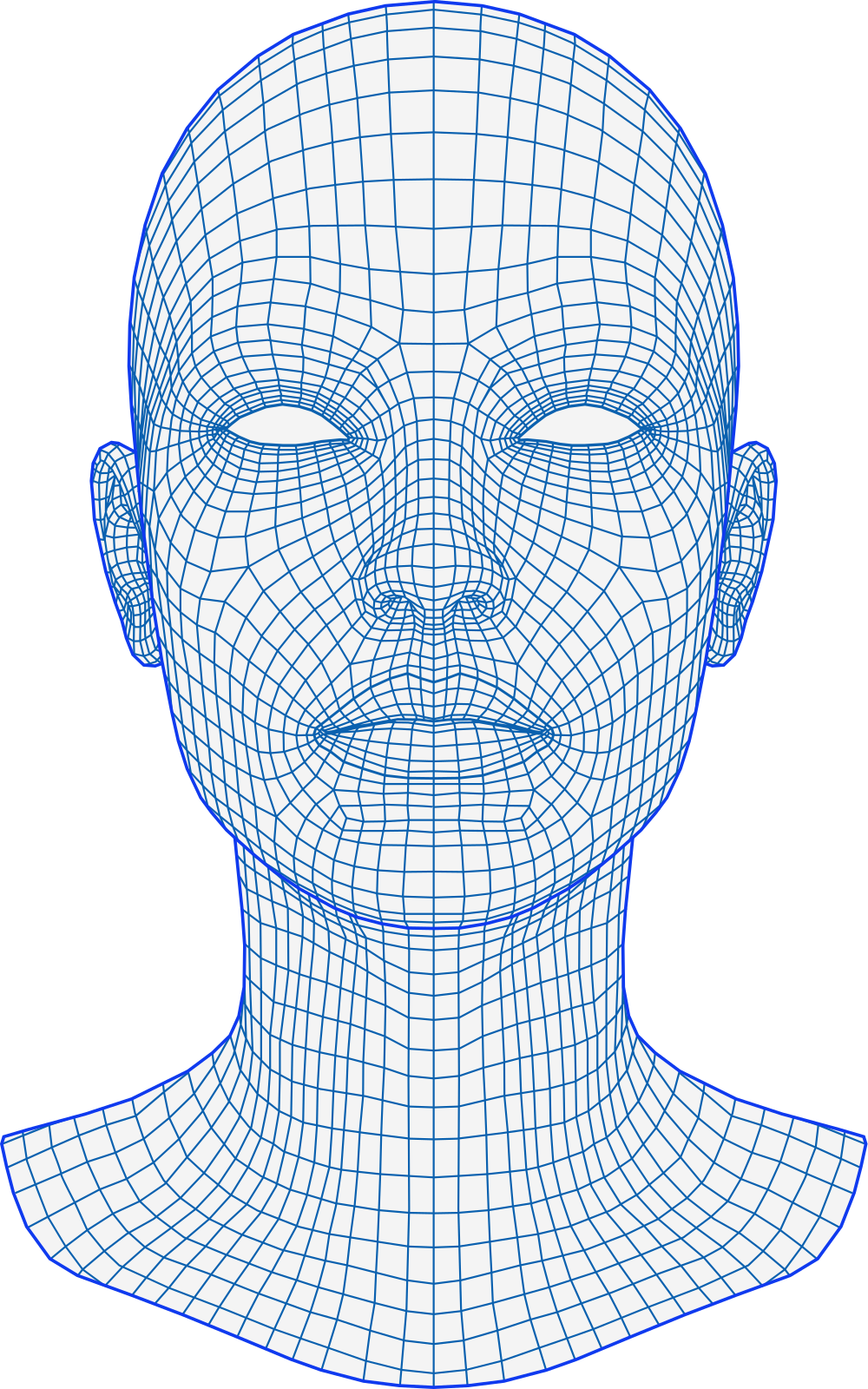
Points, units and lots
Place precise injection points on the face, record units or volume per region and keep the product batch on every session.
Anti-wrinkle · Dermal fillers · Skin boosters

Manage patients, treatments, clinical records and follow-up communication in one workspace built for aesthetic clinics.
For every treatment in your clinic
Click through a visit
Playing by itself. Click anywhere to take over.
 HB
HBOct 12–16, 2026
Weekly schedule
Online bookings and your team’s appointments land in one calendar.
01 · Every treatment
Injectables, skin treatments and device-based procedures need different details on record. Each treatment in your catalogue is set up with the fields it needs, so documentation fits the work you actually do.
Place precise injection points on the face, record units or volume per region and keep the product batch on every session.
Anti-wrinkle · Dermal fillers · Skin boosters
Select the treated zones and record what matters for the procedure, such as needle depth, passes, technique and notes.
Microneedling · Chemical peels · Mesotherapy
Record the device and handpiece used, with energy and number of passes for each treated region.
Laser · RF · IPL · HIFU
Consultations and simpler services get a lightweight record, and every treatment type can carry notes, photos and a signed consent.
02 · Patient journey
Every step a patient takes is connected to the same record, so nothing has to be copied from one tool to the next, and nobody has to chase paperwork.
Booking
Share your clinic’s booking link. Patients choose a treatment, a date and a time, and the appointment appears in your calendar straight away, with your current promotions shown alongside your prices.
Intake & consent
Injectly emails the intake form and the consent for the booked treatment. Patients complete them on their phone, and the signed status is visible on their record and in the day’s schedule.
Treatment
Record treated areas, products, batches, notes and photos during the visit. Product usage comes off your stock automatically, and the session is added to the patient’s history.
Summary & aftercare
After the visit, send patients their treatment summary in one click, with treated areas, products and before-and-after photos. A short survey before the summary feeds your service and result scores, and patients who rate you highly are invited to leave a Google review. Aftercare instructions go out automatically in a separate email.
Return
Treatment plans keep track of the recommended interval between sessions. Patients who are due for their next visit appear on your dashboard, ready for a reminder email.
03 · Why Injectly
General clinic software treats an aesthetic visit like any other appointment. Injectly was built around the details of aesthetic medicine, from the first booking to the last follow-up.
Safety
Allergies sit at the top of every patient record, where nobody can miss them. When a treatment requires consent, Injectly asks for it before documentation starts: send it by email, or confirm a signed paper consent.
Your brand
Booking, consent and treatment summary pages carry your clinic’s logo and colour, so every link a patient opens looks like it came from you, not from a software vendor.
Traceability
Batch numbers and expiry dates are recorded with each treatment and stock movements are written automatically, so every treatment shows exactly what was used and from which batch, and you can see which batches expire soon.
04 · Getting started
Getting started doesn’t need an IT project. Injectly runs in the browser, and we help you set it up around the way your clinic already works.
A short, personal walkthrough of the parts that matter to your clinic, with time for your questions and your current workflow.
Start each treatment from a quick setup for injectables, zone-based, device or simple treatments, then adjust duration, consent and aftercare.
Write your consent documents once and link them to treatments. Your logo and colours carry through emails and patient-facing pages.
Invite colleagues with the right role, share your online booking link, and start documenting from the first appointment.
05 · Growth
The same data you record every day powers your marketing and shows you how the clinic is really doing.
Create an offer once and patients see it on your booking page, with the promotional price shown next to your regular price.
Write a campaign, choose who receives it and schedule it. Opens, clicks and the revenue from booked offers are tracked for you.
Combine approved before and after photos with your clinic logo and download a finished image, ready for you to post.
Revenue, margin per treatment, cancellations, no-shows and patient feedback scores, all in one dashboard for any period you choose.
06 · Team
Practitioners, front desk and clinic owners work in one shared workspace, and each sees what their role needs.
Clinic admins manage the team and subscription, practitioners do the clinical work, and front-desk staff handle scheduling without seeing clinical history.
The whole interface is available in English and Croatian, so every team member can work in the language they prefer.
Connect Google Calendar or iCal to keep schedules aligned, and give each practitioner their own booking link and working hours.
Injectly runs in the browser, with layouts for desktop, tablet and phone, so there is nothing to install.
07 · Everything included
Day, week and month views, with booking links for the clinic and each practitioner.
Allergies, history, plans, consents and photos in one continuously updated record.
Face map with regions and precise points, products, batches and device settings.
Consent and intake forms sent by email and signed on the patient’s own phone.
Photos stored with the right session and compared side by side over time.
Confirmations, reminders, aftercare, summaries and follow-ups sent at the right moment.
Stock, batches, expiry dates and movements, updated as you treat.
Multi-session plans with recommended intervals and return-patient reminders.
Offers on your booking page and email campaigns with tracked results.
Revenue, margin, no-shows and patient feedback scores for any period.
Admin, practitioner and staff roles in one shared clinic workspace.
The full interface in both languages, for every member of the team.
08 · Data & security
Production data is hosted in Western Europe (Ireland).
Every clinic is covered by a data processing agreement, with a clear list of sub-processors.
Clinical history and treatment photos are only visible to roles that need them.
Patients use secure one-time links from email for booking changes, intake, consent and summaries.
Book a short, personalized demo and see how Injectly can fit into your clinic’s existing workflow. We’ll walk through the features most relevant to you, from appointments and patient records to treatment documentation, photos, consents and inventory, and answer any questions along the way.